I have been focusing on film-based photography for 15+ years - mostly printing in the darkroom, but also often scanning - and can wholeheartedly recommend Vuescan on Linux.
About 6 years ago, however, I switched exclusively to the open-source XSane [1] and it operates my old scanner(s) beautifully, with all features including the transparency unit.
Try it out if you don't have a highly unusual scanner with driver issues. My workflow involves:
1. XSane for scanning (to 16bit TIFF)
2. exiftool [2] to tag my images with full metadata from my notes: camera, lens, aperture, film, datetime etc just like your digital camera would
3. Darktable [3] to manage my library, cropping, sharpening, adjustments, and tagging
It's a little bit of work - but nowhere near as much as taking and processing 4x5in photographs, and the "digital end results" are very satisfactory.
Hi there,
I've been working on scanning about 5000 (estimated) printed photos, using xsane and some flatbed scanners. My question for you is: how do you find scanning to 16bit?
Currently I'm scanning 8bit TIFF, 1200DPI, full colour.
When scanning 16bit TIFF, I found it completely wrecked the general ambiance, colour and lighting of the printed image. The resulting scan looks nothing like how it was printed.
The impression I get online is that 16bit TIFF should be the scan target for proper archival of the material, but I can't in good faith use this given the results look, I would say, worse than 8bit.
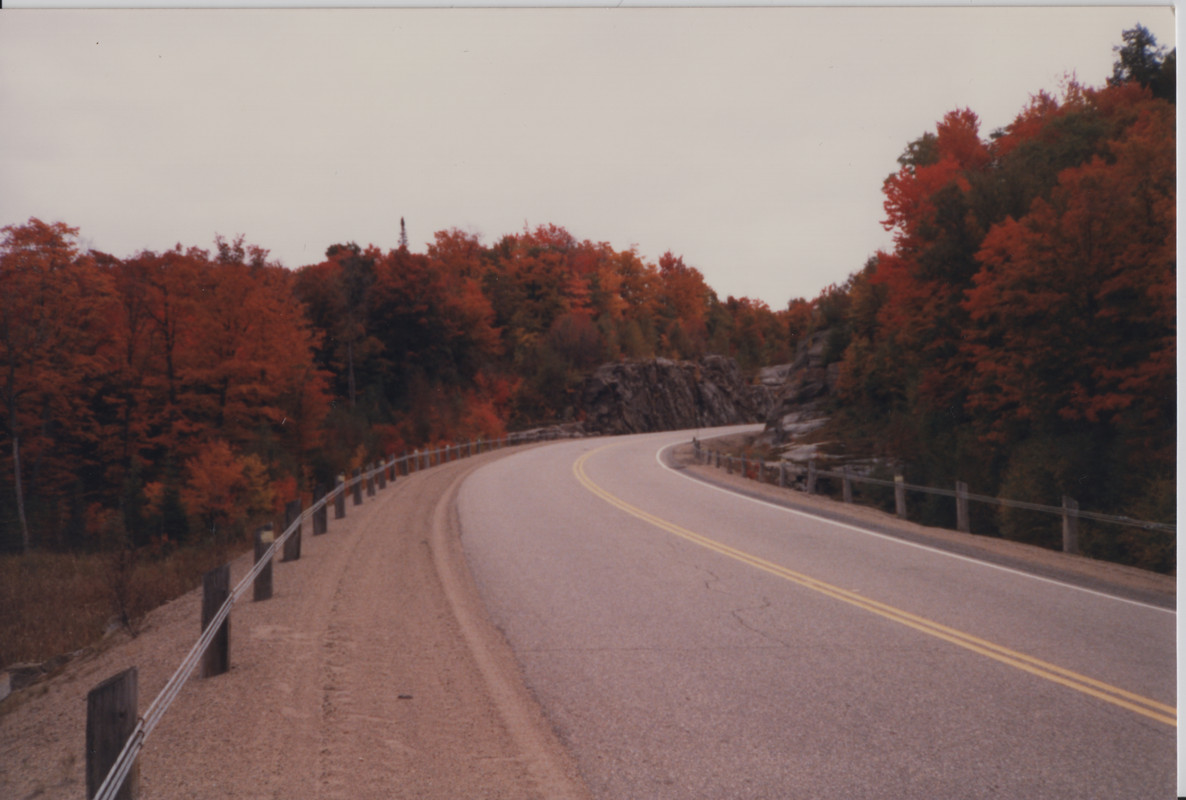
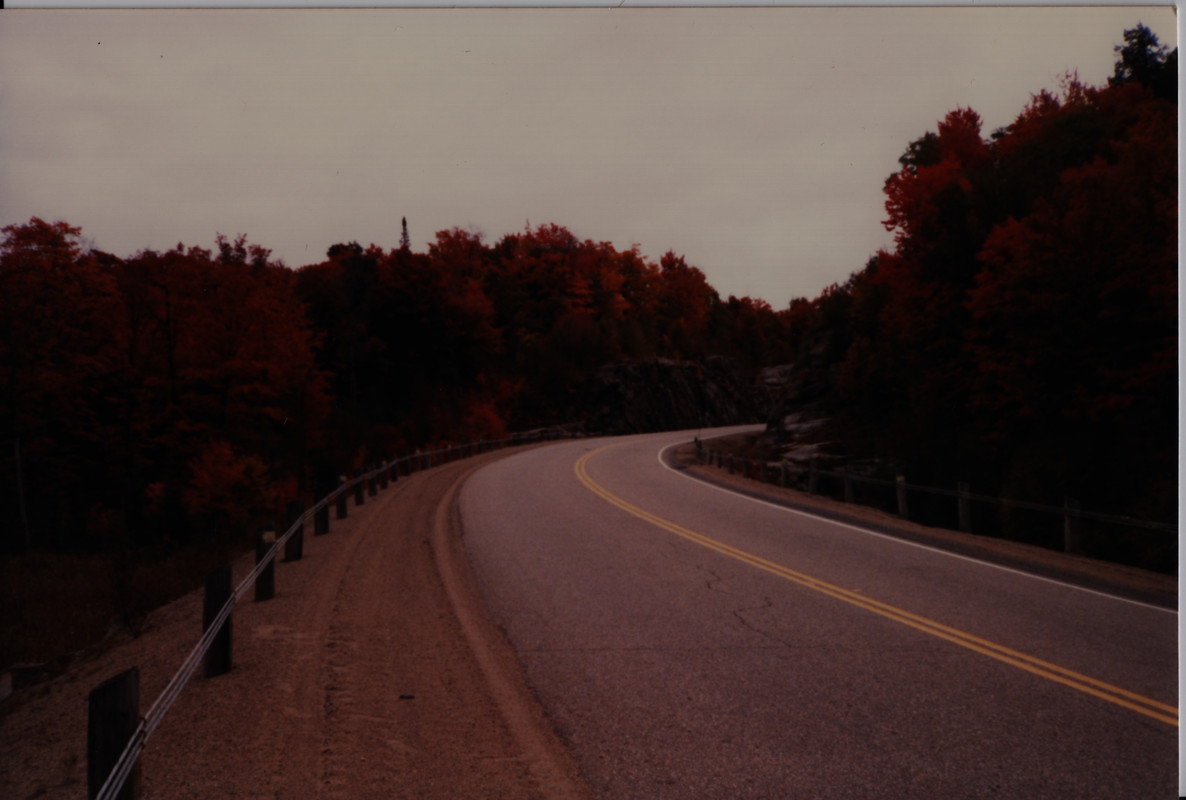
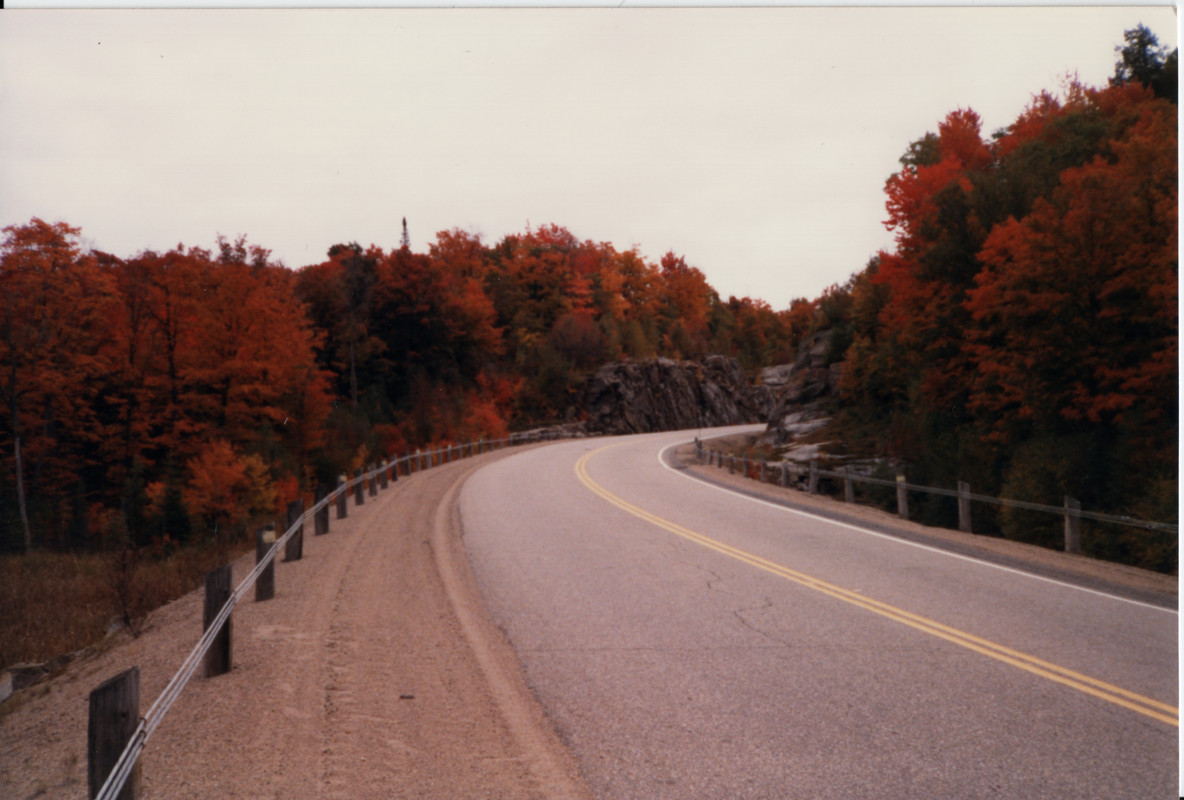
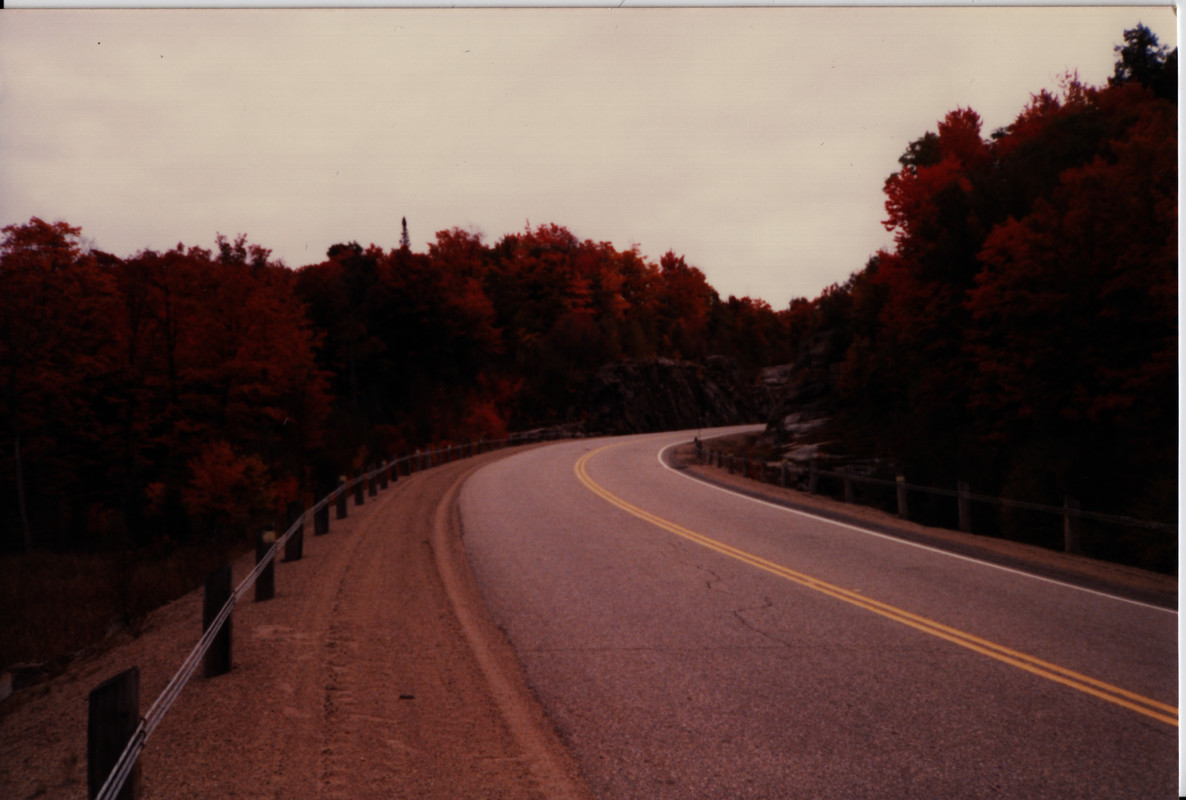
I have some examples here.
Image captured to TIFF at 1200dpi, with default flat settings for levels. The capture was compressed to 100% quality JPEG, and to 50% of original sizing.
Image captured to TIFF at 1200dpi, with colour, brightness, contrast levels set automatically by xsane based on "Acquire Preview". The capture was compressed to 100% quality JPEG, and to 50% of original sizing.
Did you calibrate the scanner and embed the ICC profile into the TIFF (or at least use the manufacturer-provided color profiles assuming they’re not already bundled w/ SANE)? You can do that <del>quite easily</del> easily enough to be worth it with Argyll CMS and it makes a huge difference to color accuracy.
Hi there, the scanners are calibrated through xsane. However, I don't have any ICC profile provided either by Canon, or from xsane. I'll have to check the provided firmware or software packages from Canon, to extract any ICC Profiles.
So far though, the quality given by only doing 8-bit has been more than acceptable for myself and my family; everyone in the family has been fairly excited and glad with the results.
With any future projects where I strongly feel the need for accurate archival, I'll definitely be using better hardware, and I can only hope whoever is paying me to do that would provide me with a nice piece of color calibration hardware.
xsane doesn't do any actual color calibration, just some heuristics for color correction. There's also no fancy hardware involved for scanner calibration (that's required for calibrating printers, though) - all you need is to purchase a "known good" color chart printout off of the web (or eBay) and scan it then process the resulting TIFF w/ Argyll to generate an ICC (assuming its one of the charts that Argyll has the "correct" color values for, otherwise you'll need to buy a chart that comes with a "correct" model on a CD/USB alongside it or else use a "good enough" color values chart that someone uploaded).
Yes. I ended up making one with parts and 3D printing. But there are plenty to buy.
Mine is build as follows:
1. I’m using threaded hoods to attach to my lens and create a cylinder extending out.
2. I have a second piece which slides over the end of the tube with a bit of movement closer/further from the sensor to fiddle with focus and magnification.
3. The piece that fits over the tube has a piece to hold the film and show only one exposure at a time. Behind the film is a diffuser and a light source.


About 6 years ago, however, I switched exclusively to the open-source XSane [1] and it operates my old scanner(s) beautifully, with all features including the transparency unit.
Try it out if you don't have a highly unusual scanner with driver issues. My workflow involves:
1. XSane for scanning (to 16bit TIFF)
2. exiftool [2] to tag my images with full metadata from my notes: camera, lens, aperture, film, datetime etc just like your digital camera would
3. Darktable [3] to manage my library, cropping, sharpening, adjustments, and tagging
It's a little bit of work - but nowhere near as much as taking and processing 4x5in photographs, and the "digital end results" are very satisfactory.
If I may, an example image: https://www.flickr.com/photos/dawidloubser/35944112383
[1] http://www.sane-project.org/ [2] https://exiftool.org/ [3] https://www.darktable.org/